

Yaazh, the screen recorder and video editor for Windows

The screen recorder and video editor for Windows. Record once, then cut, zoom and caption, or let your AI assistant edit for you.

Record
Auto zoom
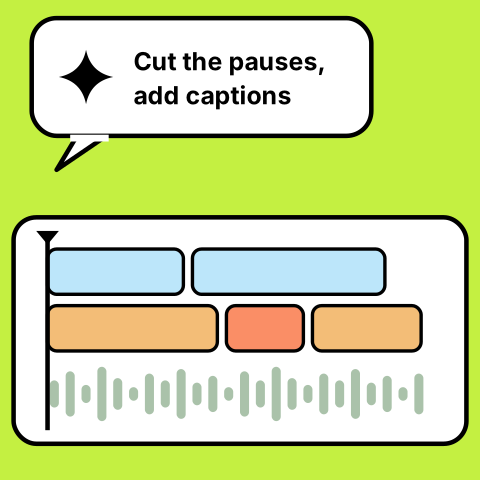
AI edits
Captions

What is Yaazh

Yaazh records your screen, camera and voice, then hands you a full editor to cut, zoom, caption and polish. Everything runs on your own PC.

Record, cut, caption, export. Yaazh keeps every step in one place, so the video is done the day you record it.

Too many little fixes pulling you away

from the story you meant to tell

(
)
Where did I say that?Re-record the whole thing?Cut the ums. Again.Which take was the good one?Captions by hand?Is my mic even on?Why is the export so slow?Zoom in on that clickMusic too loud"Just one more fix"Where's the latest version?

That's why Yaazh exists

Yaazh/ Product launchRecordEditExportExportMediaImportScreen 01CameraScreen 02MusicAaTitle cardPhone angleDrop files or recordPublishCut the silences in one clickAuto zoom 1.6x0:12 / 1:481080p · 60 fpsAssistantConnectedTighten this and add captionsLooked at the timeline and framesRemoved 14 silences (38 s)Added captions, 212 linesZoomed in on 6 clicksMusic ducked under your voiceAsk for an edit...00:00:12:040:000:100:200:300:400:501:001:101:201:30TitlesScreenCameraVoiceMusicIntro titleLower thirdOutroCamera bubbleCamera bubble

That's why Yaazh exists

Yaazh/ Product launchRecordEditExportExportMediaImportScreen 01CameraScreen 02MusicAaTitle cardPhone angleDrop files or recordPublishCut the silences in one clickAuto zoom 1.6x0:12 / 1:481080p · 60 fpsAssistantConnectedTighten this and add captionsLooked at the timeline and framesRemoved 14 silences (38 s)Added captions, 212 linesZoomed in on 6 clicksMusic ducked under your voiceAsk for an edit...00:00:12:040:000:100:200:300:400:501:001:101:201:30TitlesScreenCameraVoiceMusicIntro titleLower thirdOutroCamera bubbleCamera bubble

the export-import tax

One video shouldn’t take six apps

Screen recorder

Capture

take1.mp4

Stock music site

Music & sound effects

song.wav

Zoom effects app

Cursor & zoom-ins

zoom.mp4

Video editor

Cuts & timeline

cut1.mov

Caption tool

Subtitles

subs.srt

AI chatbot

Scripts & ideas

notes.txt

6+apps

4+hand-offs

you carryevery filebetween

Every step,in one app

One timeline,start to finish.

Your video

RecordZoomEditCaptionsMusicAI edits

Yaazh

All of the above

1 app

Bring the footage you already have

Drop in the clips, images and music you already have and keep going. Every take, cut and export lives in one project, saved on your PC.

Get Yaazh for Windows

From first take to final export

1/6

Record exactly what you need

Your whole screen, one window or just a region, with your webcam, mic and system audio alongside.

  • Screen, window or region
  • Webcam, mic & system audio
  • A countdown before each take
  • Your phone as a second camera

Recording
2/6

Zoom that follows your clicks

Yaazh zooms in where you click and type, so viewers always see the part that matters.

  • Automatic zoom on clicks & typing
  • Smooth cursor movement
  • Click effects
  • Keystroke overlays

Auto zoom

3/6

Edit on a real timeline

Cut, trim and speed up on proper tracks, with a preview that plays smoothly in real time.

  • Tracks, cuts & speed changes
  • Transitions & camera layouts
  • Green screen & background removal
  • Keyframes, masks & colour looks

Timeline

4/6

Captions, titles and motion

Style your captions, then add animated title cards, progress bars and stickers that move.

  • SRT captions, styled your way
  • Animated title cards
  • Progress bars & motion graphics
  • Stickers & sound effects

Captions & titles

5/6

Let your AI assistant edit

Connect Claude, Codex or another assistant. It sees your frames and timeline, then cuts silences and adds captions, zooms, music and b-roll.

  • Works with Claude, Codex & more (MCP)
  • Sees frames and the timeline
  • Cuts silences, adds captions & zooms
  • A built-in assistant too

AI assistant

6/6

Export and publish fast

Fast hardware export to MP4. With the Google Publishing plugin, each video lands in a Drive folder and a Sheet that tracks it.

  • Hardware-accelerated MP4 export
  • Export to a Google Drive folder
  • Track videos in a Google Sheet
  • Projects stay on your PC

Export & publish

Get back to making videos

Yaazh does the busywork, so every project goes from first take to finished video without leaving the app.

Get Yaazh
Product demo
Tutorial
Bug report
Onboarding
Launch video
Walkthrough
Weekly update
Feature tour
Lesson 4
Release notes
Sales demo
Course intro

What’s inside

Everything you need, at every stage of a video.

Record

Capture screen,
camera and sound

Screen, window or region

Record everything, one window, or just the part you need.

Webcam & mic

Your face and voice, recorded with the screen.

System audio

Capture what your PC plays, alongside your mic.

Phone as a camera

Use your phone as an extra camera angle.

Edit

Cut it together
on a real timeline

Tracks & cuts

Video, audio and overlays on their own tracks.

Speed changes

Speed up the slow parts, slow down the key ones.

Transitions

Move from clip to clip without hard jumps.

Camera layouts

Picture-in-picture, side by side, and bubble shapes.

Green screen

Remove your background, or key out a green screen.

Keyframes & masks

Animate anything over time and mask what you don’t need.

AI assistant

via MCP

Claude, Codex and others can cut, caption and zoom for you.

Polish

Make it look
and sound right

Auto zoom

Zooms that follow your clicks and typing.

Cursor & clicks

A smooth cursor, click effects and keystroke overlays.

Captions

Bring in SRT captions and give them a style.

Colour looks

Looks that set the mood of every clip.

Music & voice

Add music and sound effects, and clean up your voice.

Titles & motion

Animated title cards, progress bars and stickers.

Share

Export, publish
and keep track

Fast MP4 export

Hardware-accelerated export, straight to MP4.

Google Publishing

plugin

Send exports to a Drive folder and log each video in a Sheet.

Stays on your PC

Your projects are saved on your computer.

Made for the videos you make.

An app window with a zoom frame following a click

Show the product, not the slides.

Record your app in one take. Yaazh zooms in on every click, smooths the cursor and adds click effects, so viewers always know where to look. Trim the pauses, add an animated title card and export a crisp MP4.

Product demosAuto zoom

1 of 5

Start free. Go Pro when you’re ready.

Save 33%

Pro

$12a month

free during the beta, then billed monthly

What’s in Pro

  • No watermark. Export up to 4K at 60 fps
  • Recordings of any length
  • 300 AI assistant uses a month
  • Auto captions, templates, motion graphics and Shorts
  • Every feature is free during the beta. Compare Free, Pro and Studio
Download for Windows

The roadmap

What works today, and what comes next.

01TAKELive
  • Screen, window and region recording.
  • Webcam, mic, system audio and a phone camera.
  • Auto zoom, smooth cursor and click effects.
  • Keystroke overlays and a countdown.
02TAKELive
  • Timeline editor with tracks, cuts and speed.
  • Captions with styles, music and voice clean-up.
  • Color looks, masks, keyframes and title cards.
03TAKELive
  • AI editing with Claude, Codex and more, via MCP.
  • Google Publishing plugin for Drive and Sheets.
04TAKEUp next
  • Yaazh on the Microsoft Store.
  • A catalog of plugins to add what you need.

Ready to record your first take?

Download for Windows

1

app

to record, edit and export

FAQ

Answers before you hit record.

Is Yaazh only for Windows?

Yes. Yaazh is a desktop app for Windows 10 and Windows 11. A Microsoft Store listing is on the way, which will make installing and updating even simpler.

Does my video leave my PC?

Not unless you send it somewhere. Your recordings and projects stay on your PC. Something only leaves when you choose it: for example when you export to Google Drive with the Google Publishing plugin, or when you let an AI assistant look at frames to edit for you.

Which AI assistants work with Yaazh?

Claude, Codex and other assistants that support MCP. Once connected, your assistant can see frames and the timeline, then cut silences, add captions, zooms, music and b-roll. Prefer to stay inside the app? Yaazh has a built-in assistant too.

What can I export, and how fast is it?

Yaazh exports MP4 and uses your PC’s graphics hardware to encode, so exports are fast. The preview plays smoothly in real time while you edit, so you can check your cut without rendering first.

Can Yaazh add captions to my videos?

Yes. Bring in an SRT file or ask your AI assistant to add captions for you, then pick a caption style that suits the video.

How much does Yaazh cost?

Nothing during the beta: every feature is free for everyone. After the beta, Free stays free (with a small watermark), Pro is $8 a month billed yearly and removes the watermark, and Studio adds unlimited AI. See every plan on the Pricing page.

What do I need to run Yaazh?

A PC with Windows 10 or Windows 11. Add a webcam and a microphone if you want to be in the shot, or use your phone as an extra camera angle.

Can I build my own plugins?

Yes. Make one inside Yaazh with no code (export, copy to a folder, log to Excel or a Google Sheet, call a webhook), or write a developer plugin: a small HTTPS service Yaazh calls with JSON, in any language. Your AI assistant can use it too. See Developers in the menu for the docs and the starter kit.

Record once, edit with AI

This site doesn’t track you. The only thing it stores is that you’ve seen this note.